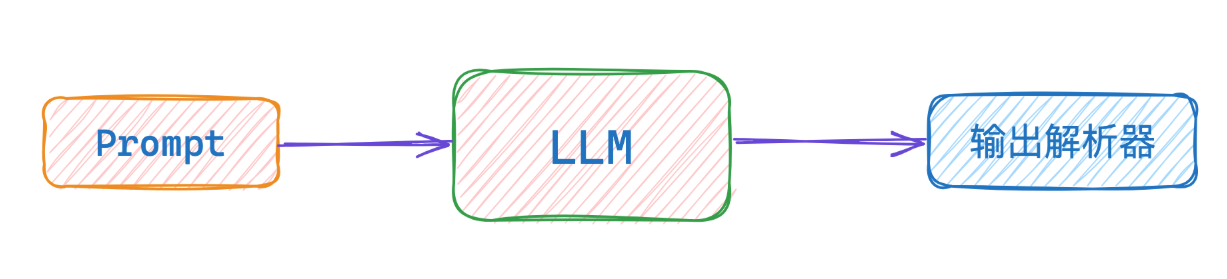
记忆与存储策略
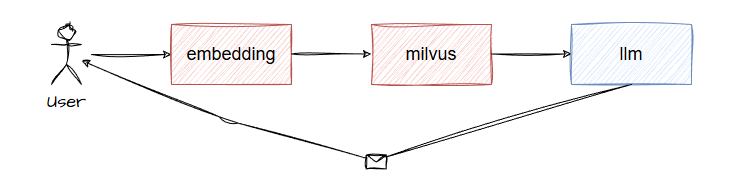
做出来能够调用tools的agent远远还不够,为了能够让用户基于之前的会话内容去回答用户新的问题,还需要做记忆管理。langchainjs通过historyAPI存储用户对话和llm回答,还通过存储策略对记忆进行管理,毕竟对话内容可以无穷无尽。
短时记忆
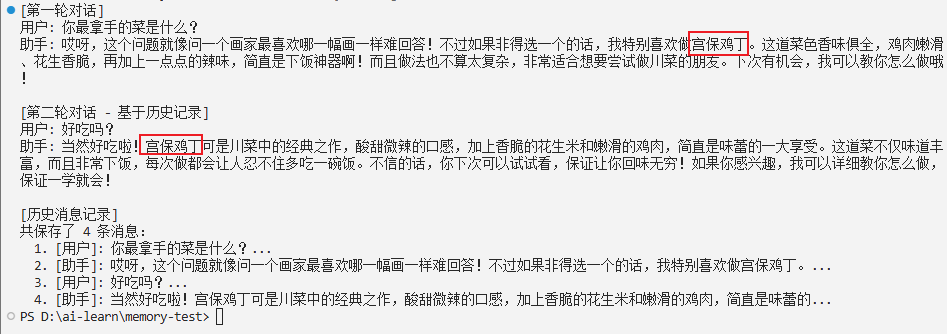
InMemoryChatMessageHistory创建’记忆’,利用运行内存存储用户与llm对话内容。
1
2
3
4
5
6
7
8
9
10
11
12
13
14
15
16
17
18
19
20
21
22
23
24
25
26
27
28
29
30
31
32
33
34
35
36
37
38
39
40
41
42
43
44
45
46
47
48
49
50
51
52
53
54
55
56
57
58
59
| import 'dotenv/config';
import { ChatOpenAI } from '@langchain/openai';
import { InMemoryChatMessageHistory } from "@langchain/core/chat_history";
import { HumanMessage, SystemMessage } from "@langchain/core/messages";
const model = new ChatOpenAI({
modelName: process.env.MODEL_NAME,
apiKey: process.env.OPENAI_API_KEY,
temperature: 0,
configuration: {
baseURL: process.env.OPENAI_BASE_URL,
},
});
async function inMemoryDemo() {
const history = new InMemoryChatMessageHistory();
const systemMessage = new SystemMessage(
"你是一个友好、幽默的做菜助手,喜欢分享美食和烹饪技巧。"
);
console.log("[第一轮对话]");
const userMessage1 = new HumanMessage(
"你最拿手的菜是什么?"
);
await history.addMessage(userMessage1);
const messages1 = [systemMessage, ...(await history.getMessages())];
const response1 = await model.invoke(messages1);
await history.addMessage(response1);
console.log(`用户: ${userMessage1.content}`);
console.log(`助手: ${response1.content}\n`);
console.log("[第二轮对话 - 基于历史记录]");
const userMessage2 = new HumanMessage(
"好吃吗?"
);
await history.addMessage(userMessage2);
const messages2 = [systemMessage, ...(await history.getMessages())];
const response2 = await model.invoke(messages2);
await history.addMessage(response2);
console.log(`用户: ${userMessage2.content}`);
console.log(`助手: ${response2.content}\n`);
console.log("[历史消息记录]");
const allMessages = await history.getMessages();
console.log(`共保存了 ${allMessages.length} 条消息:`);
allMessages.forEach((msg, index) => {
const type = msg.type;
const prefix = type === 'human' ? '用户' : '助手';
console.log(` ${index + 1}. [${prefix}]: ${msg.content.substring(0, 50)}...`);
});
}
inMemoryDemo().catch(console.error);
|
长时记忆
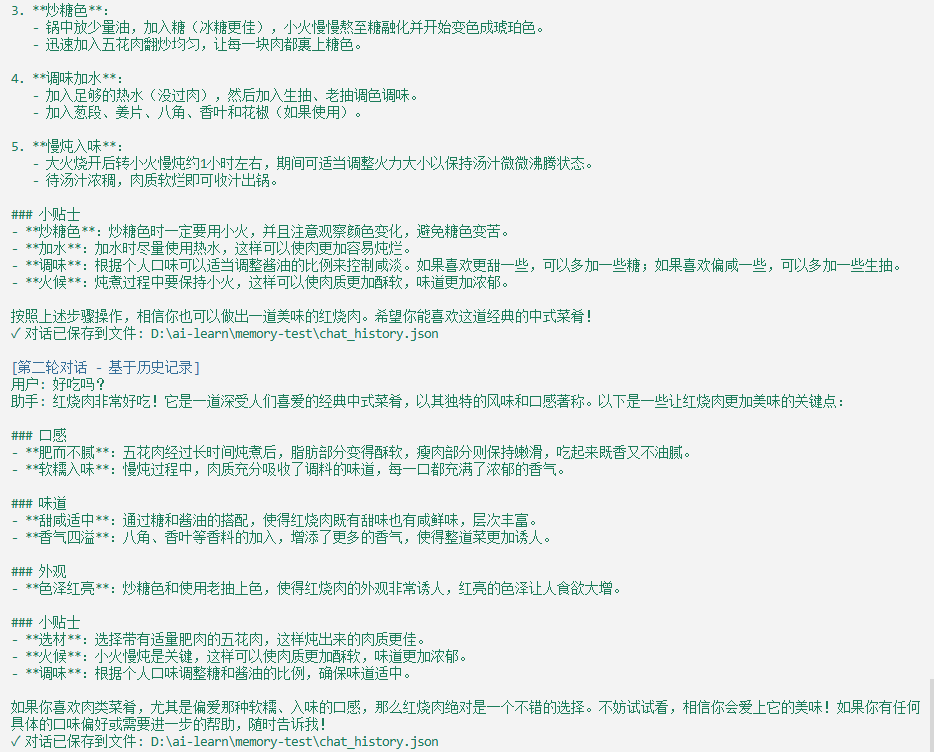
给agent做长时记忆,有两种方式,一种是借助向量数据库,一种直接存为文件形式。两者都是需要用的时候找到对应位置的记忆,调取并加入llm的prompt。此文讲述利用文件存储的方式。
- 通过
json文件的方式存储聊天消息历史记录。
1
2
3
4
5
6
7
8
9
10
11
12
13
14
15
16
17
18
19
20
21
22
23
24
25
26
27
28
29
30
31
32
33
34
35
36
37
38
39
40
41
42
43
44
45
46
47
48
49
50
51
52
53
54
55
56
57
58
59
60
61
62
| import 'dotenv/config';
import { ChatOpenAI } from '@langchain/openai';
import { FileSystemChatMessageHistory } from "@langchain/community/stores/message/file_system";
import { HumanMessage, AIMessage, SystemMessage } from "@langchain/core/messages";
import path from "node:path";
import chalk from "chalk";
const model = new ChatOpenAI({
modelName: process.env.MODEL_NAME,
apiKey: process.env.OPENAI_API_KEY,
temperature: 0,
configuration: {
baseURL: process.env.OPENAI_BASE_URL,
},
});
async function fileHistory() {
const filePath = path.join(process.cwd(), "chat_history.json");
const sessionId = "user_session_001";
const systemMessage = new SystemMessage(
"你是一个友好的做菜助手,喜欢分享美食和烹饪技巧。"
);
console.log(chalk.blue("[第一轮对话]"));
const history = new FileSystemChatMessageHistory({
filePath: filePath,
sessionId: sessionId,
});
const userMessage1 = new HumanMessage(
"红烧肉怎么做"
);
await history.addMessage(userMessage1);
const messages1 = [systemMessage, ...(await history.getMessages())];
const response1 = await model.invoke(messages1);
await history.addMessage(response1);
console.log(chalk.green(`用户: ${userMessage1.content}`));
console.log(chalk.green(`助手: ${response1.content}`));
console.log(chalk.green(`✓ 对话已保存到文件: ${filePath}\n`));
console.log(chalk.blue("[第二轮对话 - 基于历史记录]"));
const userMessage2 = new HumanMessage(
"好吃吗?"
);
await history.addMessage(userMessage2);
const messages2 = [systemMessage, ...(await history.getMessages())];
const response2 = await model.invoke(messages2);
await history.addMessage(response2);
console.log(chalk.green(`用户: ${userMessage2.content}`));
console.log(chalk.green(`助手: ${response2.content}`));
console.log(chalk.green(`✓ 对话已保存到文件: ${filePath}\n`));
}
fileHistory().catch(console.error);
|
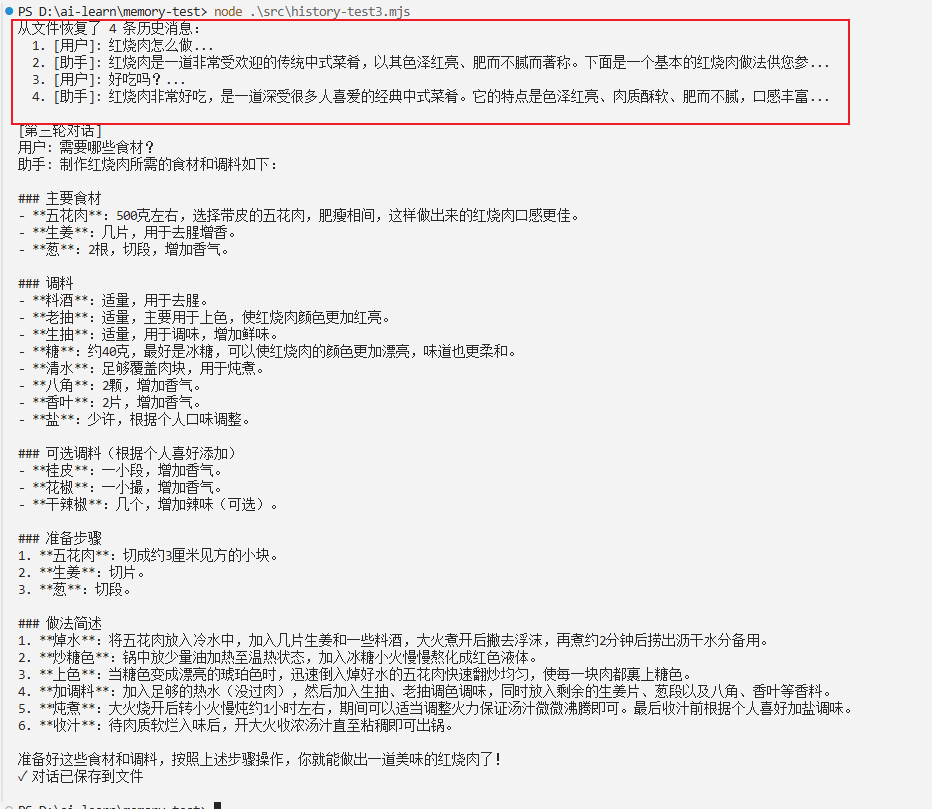
- 通过文件记忆回答用户其他问题。
1
2
3
4
5
6
7
8
9
10
11
12
13
14
15
16
17
18
19
20
21
22
23
24
25
26
27
28
29
30
31
32
33
34
35
36
37
38
39
40
41
42
43
44
45
46
47
48
49
50
51
52
53
54
55
56
57
58
59
| import 'dotenv/config';
import { ChatOpenAI } from '@langchain/openai';
import { FileSystemChatMessageHistory } from "@langchain/community/stores/message/file_system";
import { HumanMessage, AIMessage, SystemMessage } from "@langchain/core/messages";
import path from "node:path";
import chalk from "chalk";
const model = new ChatOpenAI({
modelName: process.env.MODEL_NAME,
apiKey: process.env.OPENAI_API_KEY,
temperature: 0,
configuration: {
baseURL: process.env.OPENAI_BASE_URL,
},
});
async function fileHistory() {
const filePath = path.join(process.cwd(), "chat_history.json");
const sessionId = "user_session_001";
const systemMessage = new SystemMessage(
"你是一个友好的做菜助手,喜欢分享美食和烹饪技巧。"
);
const restoredHistory = new FileSystemChatMessageHistory({
filePath: filePath,
sessionId: sessionId,
});
const restoredMessages = await restoredHistory.getMessages();
console.log(`从文件恢复了 ${restoredMessages.length} 条历史消息:`);
restoredMessages.forEach((msg, index) => {
const type = msg.type;
const prefix = type === 'human' ? '用户' : '助手';
console.log(` ${index + 1}. [${prefix}]: ${msg.content.substring(0, 50)}...`);
});
console.log();
console.log("[第三轮对话]");
const userMessage3 = new HumanMessage(
"需要哪些食材?"
);
await restoredHistory.addMessage(userMessage3);
const messages3 = [systemMessage, ...(await restoredHistory.getMessages())];
const response3 = await model.invoke(messages3);
await restoredHistory.addMessage(response3);
console.log(`用户: ${userMessage3.content}`);
console.log(`助手: ${response3.content}`);
console.log(`✓ 对话已保存到文件\n`);
}
fileHistory().catch(console.error);
|
记忆管理策略
可以分为截断、总结、检索三大招数。
- 截断即通过保留最近的几段对话,为后续问答提供依据。
- 总结则通过保留最近几段对话,而再之前的会话通过
llm总结,存入history
- 检索则通过将数据通过嵌入模型返回向量化数据存入向量数据库后,在新的对话中进行向量余弦匹配最接近之前的对话,放到
prompt中与llm进行交互。