1
2
3
4
5
6
7
8
9
10
11
12
13
14
15
16
17
18
19
20
21
22
23
24
25
26
27
28
29
30
31
32
33
34
35
36
37
38
39
40
41
42
43
44
45
46
47
48
49
50
51
52
53
54
55
56
57
58
59
60
61
62
63
64
65
66
67
68
69
70
71
72
73
74
75
76
77
78
79
80
81
82
83
84
85
86
87
88
89
90
91
92
93
94
95
96
97
98
99
100
101
102
103
104
105
106
107
108
109
110
111
112
113
114
115
116
117
118
119
120
121
122
123
124
125
126
127
128
129
130
131
132
133
134
135
136
137
138
139
140
141
142
143
144
145
146
147
148
149
150
151
152
153
154
155
156
157
158
159
160
161
162
163
164
165
166
167
168
169
170
171
172
173
174
175
176
177
178
179
180
181
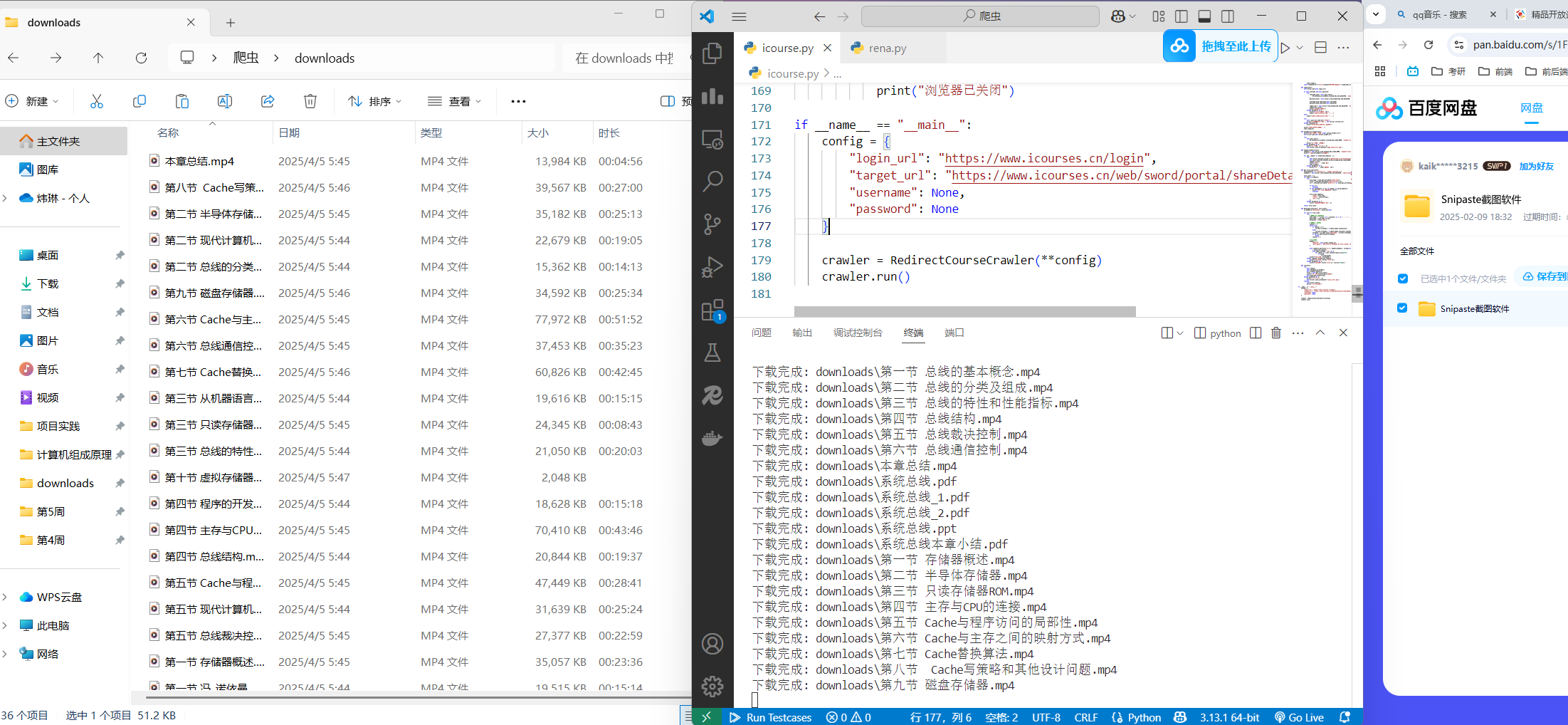
| import os
import time
import requests
from selenium import webdriver
from selenium.webdriver.common.by import By
from selenium.webdriver.support.ui import WebDriverWait
from selenium.webdriver.support import expected_conditions as EC
from selenium.webdriver.chrome.options import Options
class RedirectCourseCrawler:
def __init__(self, login_url, target_url, username=None, password=None):
chrome_options = Options()
chrome_options.add_argument('--ignore-ssl-errors=yes')
chrome_options.add_argument('--ignore-certificate-errors')
self.driver = webdriver.Chrome(options=chrome_options)
self.login_url = login_url
self.actual_target_url = target_url
self.username = username
self.password = password
self.wait = WebDriverWait(self.driver, 20)
def _wait_for_redirect(self, expected_url_part, timeout=30):
start_time = time.time()
while time.time() - start_time < timeout:
if expected_url_part in self.driver.current_url:
return True
time.sleep(2)
raise TimeoutError(f"未能在{timeout}秒内重定向到包含'{expected_url_part}'的页面")
def login(self):
self.driver.get(self.login_url)
if self.username and self.password:
try:
username_elem = self.wait.until(
EC.presence_of_element_located((By.CSS_SELECTOR, 'input[type="text"]'))
)
password_elem = self.driver.find_element(By.CSS_SELECTOR, 'input[type="password"]')
username_elem.send_keys(self.username)
password_elem.send_keys(self.password)
submit_btn = self.driver.find_element(By.CSS_SELECTOR, 'button.login-btn')
submit_btn.click()
print("已提交登录表单")
except Exception as e:
print(f"自动登录失败: {e}")
input("请手动登录后按回车继续...")
else:
input("请手动完成登录后按回车继续...")
try:
self._wait_for_redirect("/home/")
print("登录成功,当前URL:", self.driver.current_url)
except TimeoutError:
print("警告:可能未正确跳转到首页")
print("等待安全时间(60秒)...")
time.sleep(60)
def navigate_to_target(self):
print(f"正在访问目标页面: {self.actual_target_url}")
self.driver.get(self.actual_target_url)
try:
self.wait.until(
EC.presence_of_element_located((By.CLASS_NAME, "chapter-title-text"))
)
print("目标页面加载成功")
except Exception as e:
print("目标页面加载异常:", e)
self.driver.save_screenshot('page_load_error.png')
def expand_chapters(self):
chapters = self.driver.find_elements(By.CLASS_NAME, "chapter-title-text")
print(f"找到{len(chapters)}个章节")
for idx, chapter in enumerate(chapters, 1):
try:
self.driver.execute_script("arguments[0].scrollIntoView({behavior: 'smooth', block: 'center'});", chapter)
self.wait.until(EC.element_to_be_clickable((By.CLASS_NAME, "chapter-title-text")))
chapter.click()
print(f"已展开第 {idx} 章")
time.sleep(1)
except Exception as e:
print(f"展开第 {idx} 章失败: {e}")
def get_file_links(self):
valid_domains = ['icourses.cn', 'resdoc.icourses.cn']
elements = self.driver.find_elements(By.CSS_SELECTOR, '[data-class="media"]')
file_links = []
for elem in elements:
try:
file_type = elem.get_attribute("data-type")
title = elem.get_attribute("data-title")[:50]
url = elem.get_attribute("data-url") or elem.get_attribute("data-ppturl")
if not url:
continue
if not any(domain in url for domain in valid_domains):
print(f"跳过非信任域名资源: {url}")
continue
file_links.append({
"type": file_type,
"title": title.strip(),
"url": url
})
except Exception as e:
print("解析文件元素时出错:", e)
return file_links
def download_files(self, file_links):
os.makedirs("downloads", exist_ok=True)
for file in file_links:
try:
safe_name = "".join(c if c.isalnum() or c in (' ', '-', '_') else '_' for c in file['title'])
base_name = safe_name.strip()
extension = file['type']
counter = 0
while True:
if counter == 0:
current_filename = f"{base_name}.{extension}"
else:
current_filename = f"{base_name}_{counter}.{extension}"
filename = os.path.join("downloads", current_filename)
if not os.path.exists(filename):
break
counter += 1
headers = {
"Referer": self.actual_target_url,
"User-Agent": "Mozilla/5.0 (Windows NT 10.0; Win64; x64) AppleWebKit/537.36"
}
with requests.get(file['url'], headers=headers, stream=True, timeout=20) as r:
r.raise_for_status()
with open(filename, 'wb') as f:
for chunk in r.iter_content(chunk_size=8192):
if chunk:
f.write(chunk)
print(f"下载完成: {filename}")
except requests.exceptions.Timeout:
print(f"下载超时: {file['title']}")
except Exception as e:
print(f"下载失败 {file['title']}: {str(e)[:100]}")
def run(self):
try:
self.login()
self.navigate_to_target()
self.expand_chapters()
files = self.get_file_links()
print(f"准备下载{len(files)}个文件")
self.download_files(files)
except Exception as e:
print("主流程异常:", e)
self.driver.save_screenshot('final_error.png')
finally:
self.driver.quit()
print("浏览器已关闭")
if __name__ == "__main__":
config = {
"login_url": "https://www.icourses.cn/login",
"target_url": "https://www.icourses.cn/web/sword/portal/shareDetails?cId=5884#/course/chapter",
"username": None,
"password": None
}
crawler = RedirectCourseCrawler(**config)
crawler.run()
|